PairFree: open-source earbud and headphone app for Android and Windows
PairFree is a free, open-source app for Android and Windows that replaces the brand-specific apps for wireless earbuds and headphones with one light, fast one. It talks to your earbuds directly over Bluetooth to set noise cancelling, the equalizer, touch controls and more. It has no account, no internet access and no ads.
Now on Windows
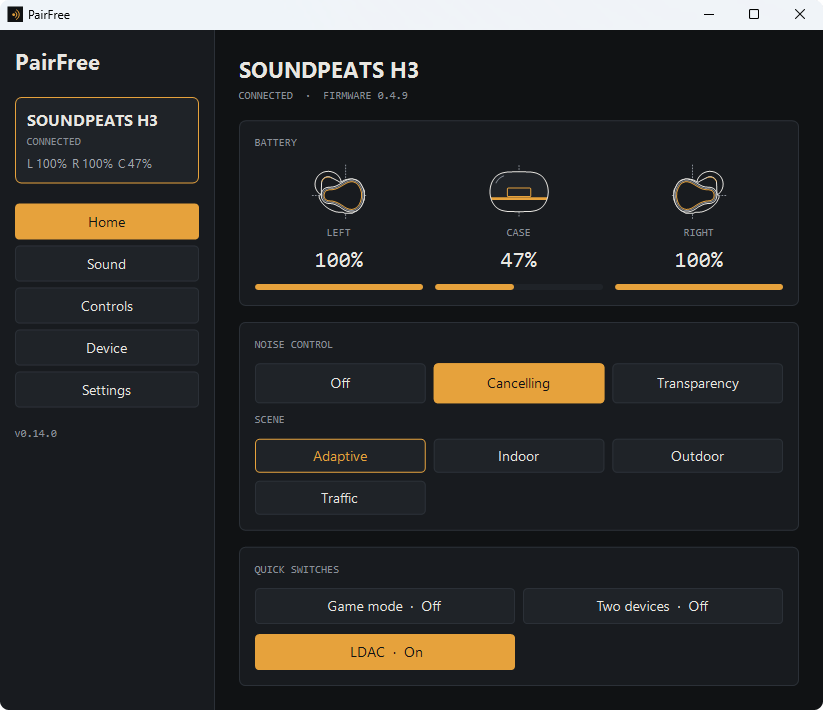
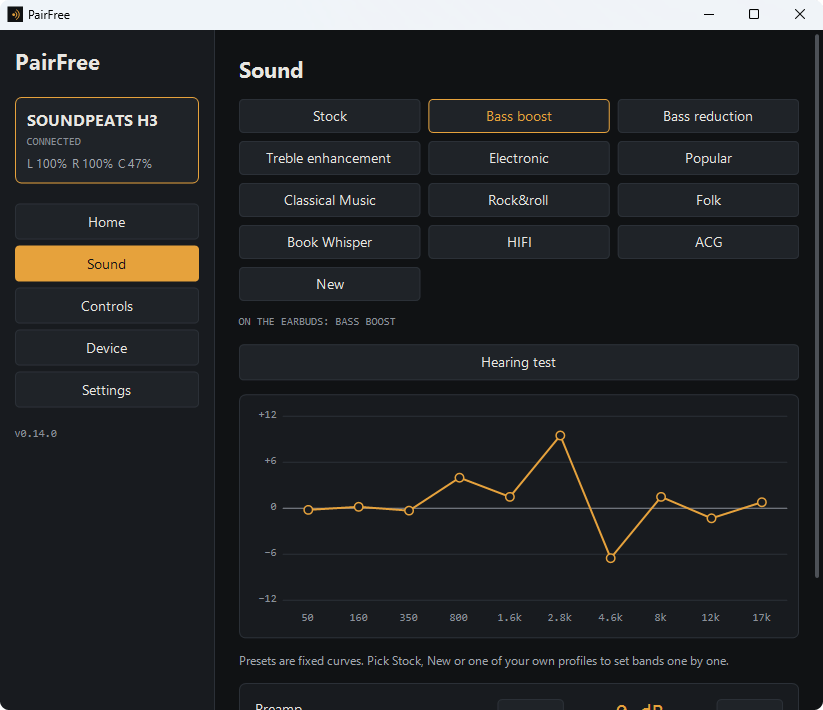
Almost none of these brands makes a Windows app, so on a PC their earbuds are plain Bluetooth audio. PairFree for Windows is one small portable program (no installer) with the same settings as the Android app, in a window made for a mouse and with a tray icon for the battery and quick switches. It needs Windows 10 (version 1809) or 11, 64-bit, with the earbuds paired in Windows’ Bluetooth settings. AirPods and the Beats on Apple’s chips are not on Windows: Windows gives programs no way to open their settings channel.
On Android
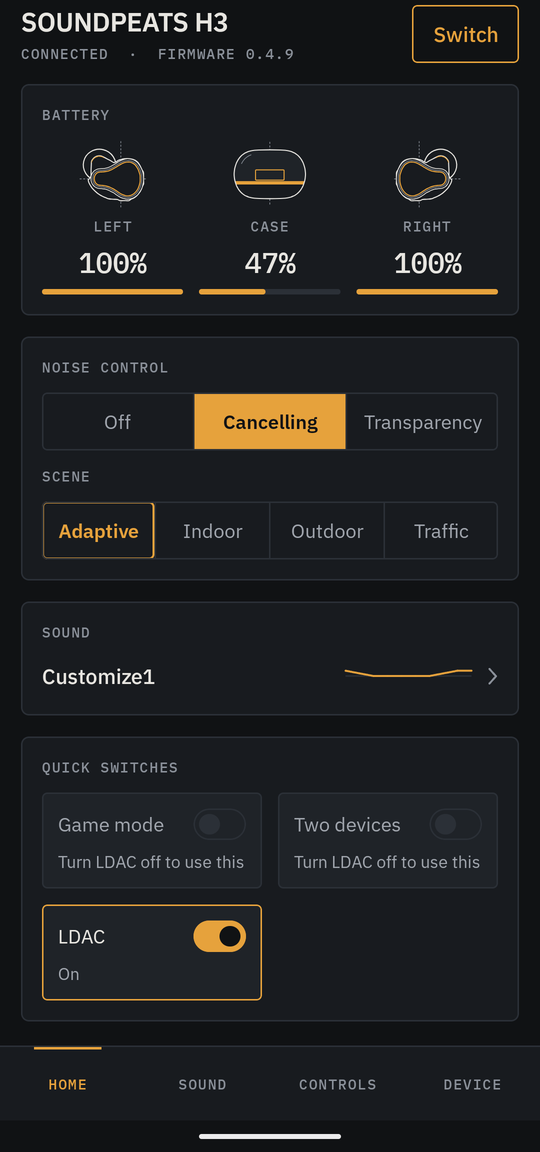
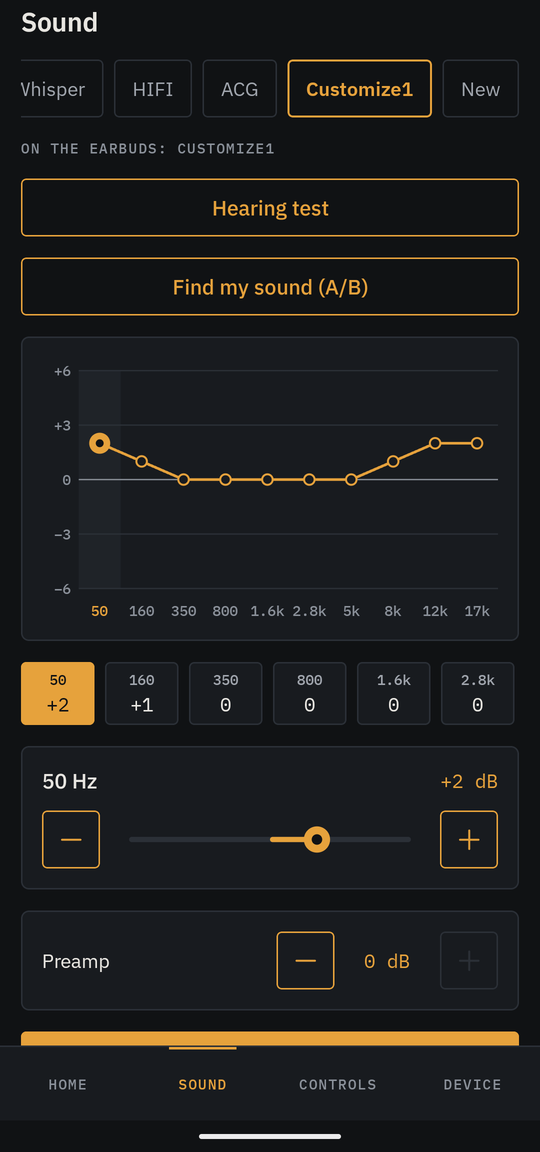
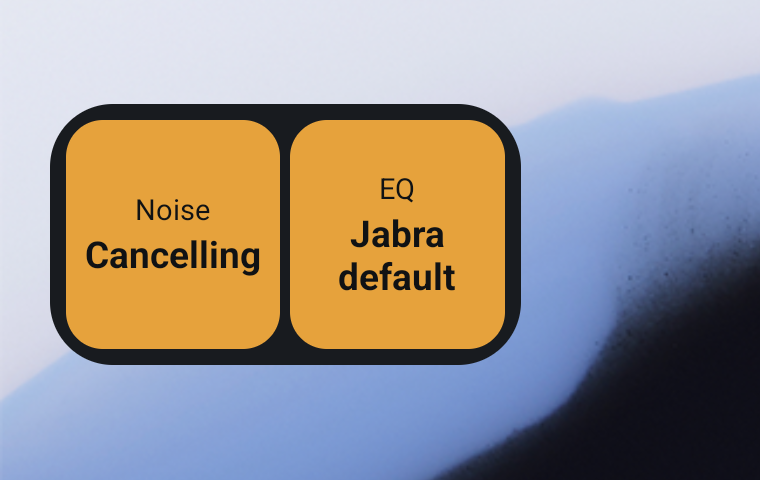
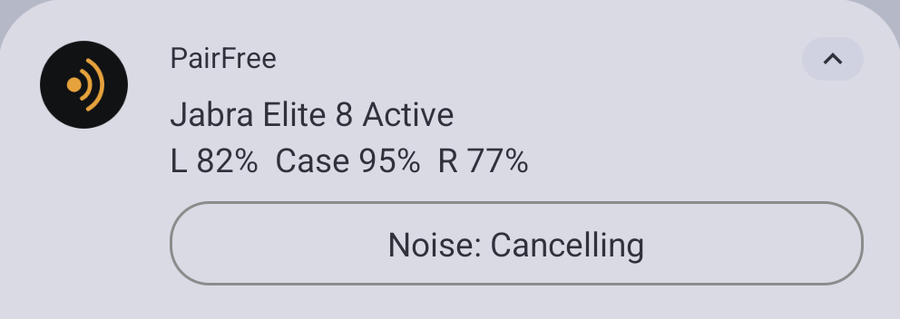
The screens, the device drawings and the widget follow the look you choose:
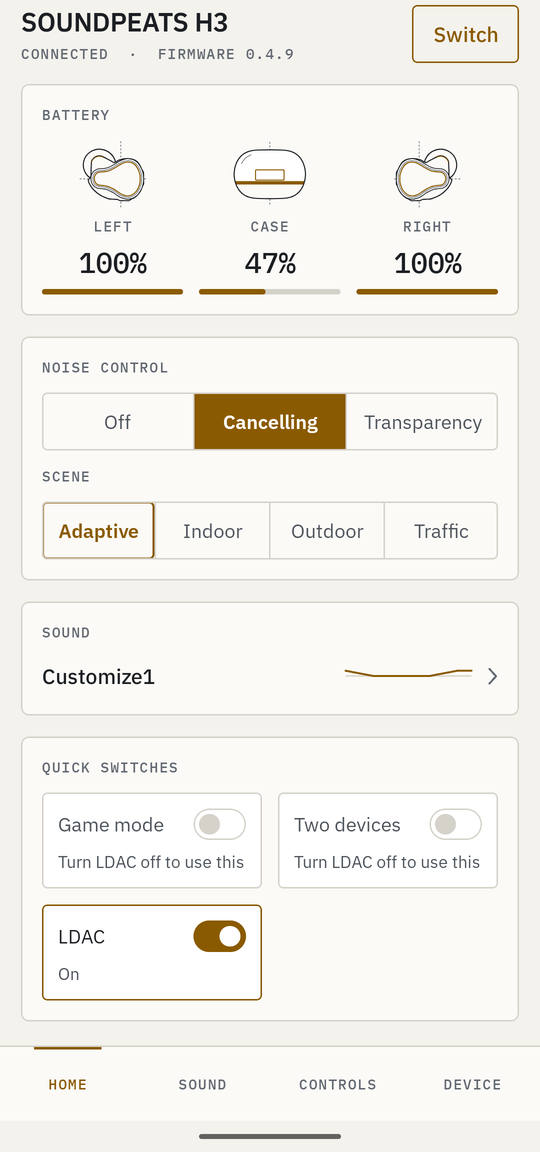
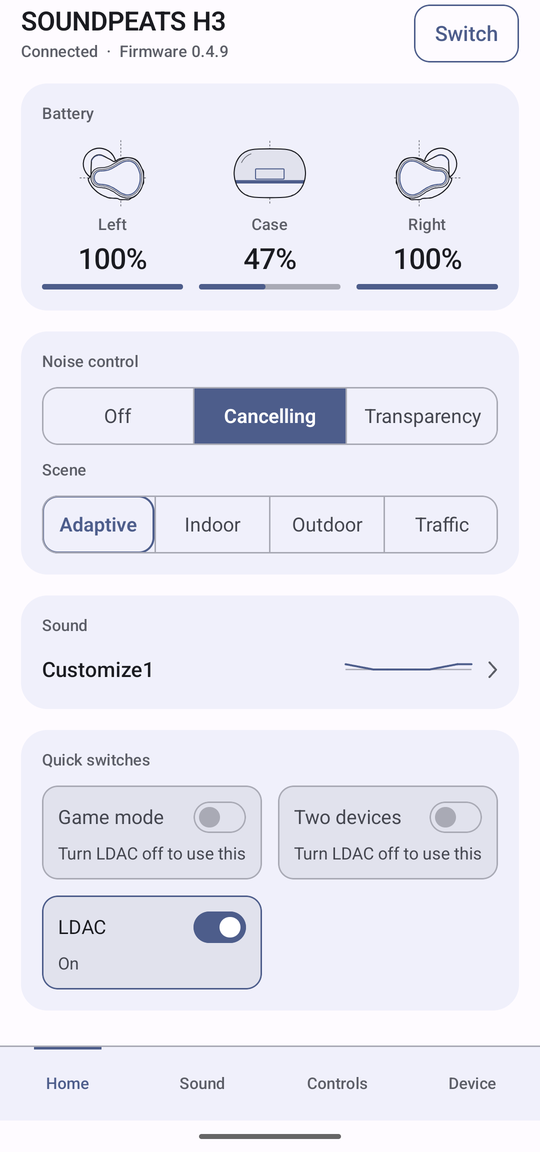
It covers 781 models from 16 brands. Pick yours:
- Open-source SOUNDPEATS app (a PeatsAudio alternative): 88 SOUNDPEATS models
- Open-source Soundcore app (for Anker Soundcore earbuds): 83 Soundcore models
- Open-source Bose app (a Bose Music alternative): 22 Bose models
- Open-source JBL Headphones app alternative: 112 JBL models
- Open-source Sony headphones app (a Sound Connect alternative): 24 Sony models
- Open-source Galaxy Buds app (without Galaxy Wearable): 16 Samsung Galaxy Buds models
- Open-source AirPods app for Android (noise control and settings): 30 AirPods and Beats models
- Open-source Nothing X app alternative (Nothing Ear and CMF Buds): 19 Nothing and CMF models
- Open-source Pixel Buds app (for Android phones that are not Pixels): 5 Google Pixel Buds models
- Open-source QCY app alternative: 194 QCY models
- Open-source 1MORE app alternative: 39 1MORE models
- Open-source EarFun app alternative (EarFun Audio): 26 EarFun models
- Open-source Cambridge Audio Melomania app alternative: 8 Cambridge Audio models
- Open-source Sennheiser Smart Control alternative: 28 Sennheiser models
- Open-source Jabra Sound+ alternative: 34 Jabra models
- Open-source HeyMelody alternative for OnePlus and OPPO earbuds: 53 OnePlus and OPPO models
What it controls
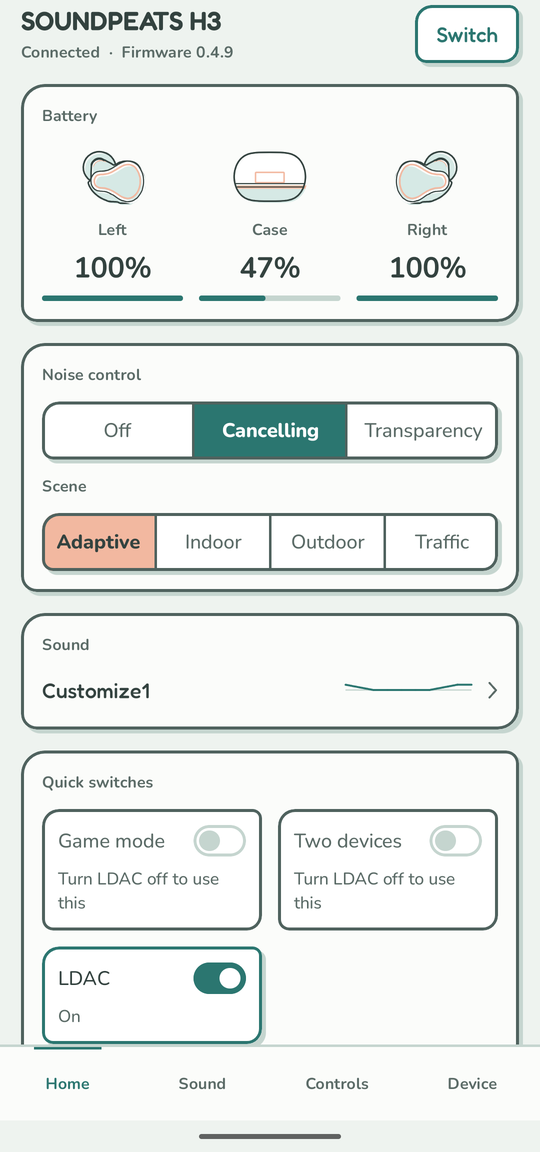
Each model shows only what it has: the battery of each earbud and the case, noise control (off, noise cancelling, transparency, adaptive) with its scenes and levels, the equalizer with the brand’s presets and your own curves, touch controls, game mode, LDAC and LE Audio, two devices at once, the ear tip fit test, find my earbuds, a home screen widget and a status notification, and the settings only one brand has.
Why PairFree
- No account, no internet. The Android app does not have the internet permission, so it cannot go online.
- One app to replace a drawer full of them. Every brand gets the same screens.
- Open source (GPL-3.0), with every protocol documented in the repository and tested.
- Reproducible builds: the published APK can be rebuilt from the source and checked byte for byte.
- Grows with its users: a device report from your earbuds adds your model for everyone (how to help; the people who have are thanked in CONTRIBUTORS.md).
Get PairFree
On Android, PairFree is on F-Droid and on the GitHub releases page. On Windows 10 or 11, download PairFree.exe from the same page and run it. The source is at github.com/Omega-Destroyer/PairFree.
Questions
Is there an open-source app for my earbuds?
Yes, for the brands above. PairFree is one open-source app (GPL-3.0) that talks directly to the earbuds over Bluetooth, so one app can replace the Soundcore, Bose Music, JBL Headphones, Sony Sound Connect, Galaxy Wearable, Nothing X, PeatsAudio, QCY, 1MORE, EarFun, Melomania, Sennheiser Smart Control, Jabra Sound+ and HeyMelody apps, on Android and on Windows.
Does it work without an account or internet?
Yes. The app does not have the internet permission, so it cannot go online, and there is nothing to sign up for. Nothing leaves your phone unless you share a device report or an equalizer profile yourself.
Does it work with every model of a brand?
It lists every model its sources describe, and each model shows only the settings it has. Most models have not been tried on real earbuds yet: their support comes from the brands’ own apps and from other open-source projects. Each brand’s page says which models have been tried, and a device report from your own earbuds helps the next person.
Can I use PairFree and the brand’s own app together?
Not at the same time: only one app can hold the control connection to a pair of earbuds. Close the brand’s own app first.
Is there a Windows app for my earbuds?
Almost none of these brands makes one, and PairFree for Windows is a small portable program that fills the gap: noise cancelling, the equalizer, touch controls and the rest, from a window with a tray icon. It needs Windows 10 (1809) or 11, 64-bit, and every brand is there except AirPods and the Beats on Apple’s chips, which Windows gives programs no way to reach.
Which phones and PCs does it need?
Android 12 or later, or Windows 10 (version 1809) or 11. AirPods need Android 17, or one of the few phones on Android 16 that already open their settings channel.
Where do I get it?
The Android app is on F-Droid and on the GitHub releases page (the same APK, signed with the same key). The Windows program, PairFree.exe, is on the GitHub releases page.
PairFree is an independent project. It is not affiliated with or endorsed by SOUNDPEATS, Anker, Samsung, Sony, Bose, Harman (JBL), Apple, Nothing, Google, QCY, 1MORE, EarFun, Cambridge Audio, Sennheiser, Jabra, OnePlus or OPPO; the names are used to say which earbuds it works with.