Open-source AirPods app for Android (noise control and settings)
PairFree is a free, open-source Android and Windows app for the settings of AirPods and Beats on Apple’s chips, built from the LibrePods project’s work: no account, no internet access.
What you can control
Each model shows only the settings it has:
- Battery for each AirPod and the case.
- Listening modes: off, noise cancelling, transparency and adaptive, and Conversation Awareness.
- Press speed, press and hold duration, swipe to change volume, automatic ear detection and Personalized Volume, where the AirPods report them.
On Windows too
Almost none of these brands makes a Windows app, so on a PC their earbuds are plain Bluetooth audio. PairFree for Windows is one small portable program (no installer) with the same settings as the Android app, in a window made for a mouse and with a tray icon for the battery and quick switches. It needs Windows 10 (version 1809) or 11, 64-bit, with the earbuds paired in Windows’ Bluetooth settings. AirPods and the Beats on Apple’s chips are not on Windows: Windows gives programs no way to open their settings channel.
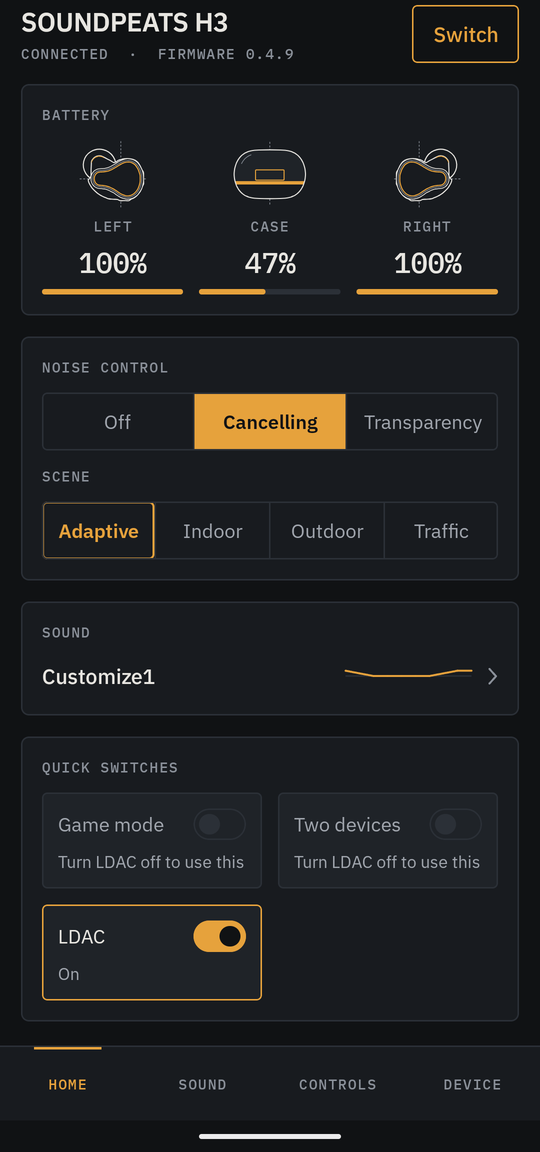
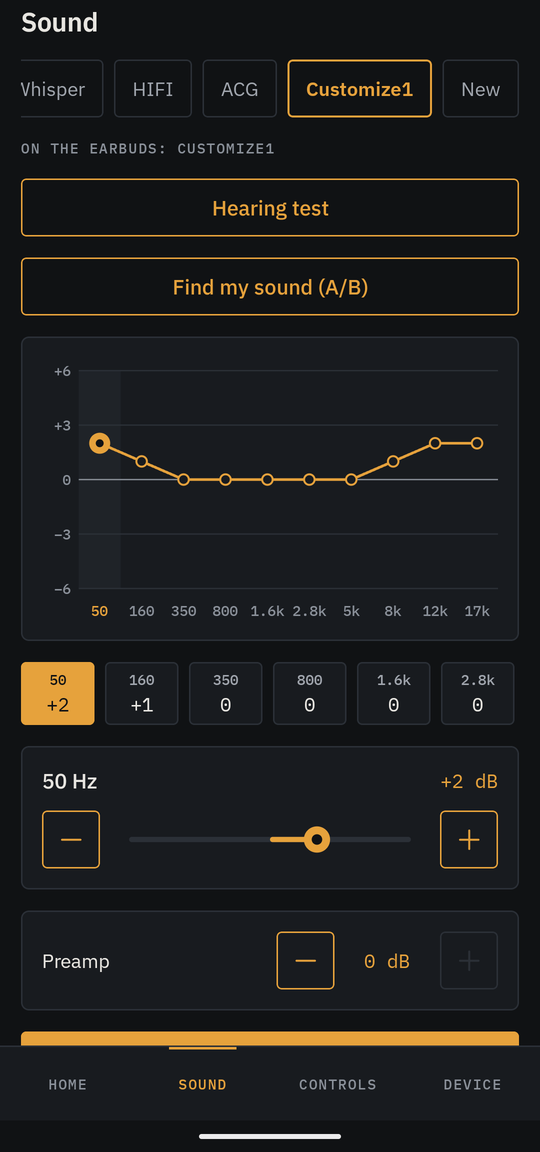
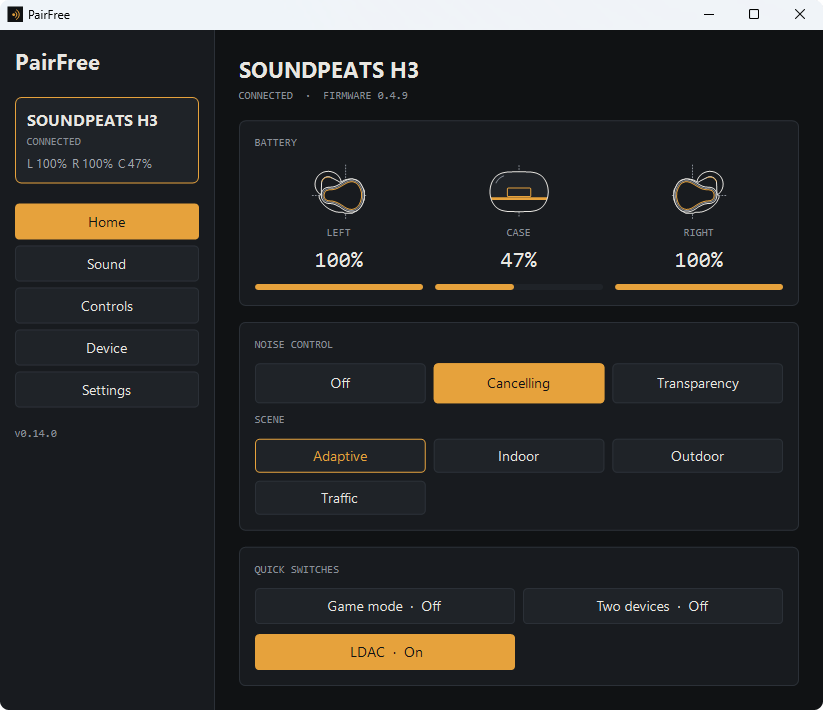
AirPods and Beats models
PairFree knows 30 AirPods and Beats models. Models that have been tried on real earbuds: AirPods Pro 3.
AirPods keep their settings on a Bluetooth channel that Android refused on most phones until Android 17. PairFree does not try it on a phone that is not known to open it, and it has not worked on a real pair yet: see the AirPods page for which phones.
If your model is not marked as tried, a device report from you adds it: see how to help.
What works on each AirPods and Beats model
| Model | Model numbers | Type | Adaptive Audio | Status |
|---|---|---|---|---|
| AirPods (1st generation) | A1523 A1722 | Earbuds | — | Not tested |
| AirPods (2nd generation) | A2032 A2031 | Earbuds | — | Not tested |
| AirPods (3rd generation) | A2565 A2564 | Earbuds | — | Not tested |
| AirPods 4 | A3053 A3050 A3054 | Earbuds | — | Not tested |
| AirPods 4 with Active Noise Cancellation | A3056 A3055 A3057 | Earbuds | Yes | Not tested |
| AirPods 5 | A3531 A3532 A3533 | Earbuds | Yes | Not tested |
| AirPods 5 with Wireless Charging Case | A3439 A3440 A3441 | Earbuds | Yes | Not tested |
| AirPods Pro | A2084 A2083 | Earbuds | — | Not tested |
| AirPods Pro 2 (Lightning) | A2931 A2699 A2698 | Earbuds | Yes | Not tested |
| AirPods Pro 2 (USB-C) | A3047 A3048 A3049 | Earbuds | Yes | Not tested |
| AirPods Pro 3 | A3063 A3064 A3065 | Earbuds | Yes | Tested |
| AirPods Max | — | Headphones | — | Not tested |
| AirPods Max (USB-C) | — | Headphones | — | Not tested |
| AirPods Max 2 | — | Headphones | Yes | Not tested |
| Powerbeats3 | — | Earbuds | — | Not tested |
| Powerbeats4 | — | Earbuds | — | Not tested |
| Powerbeats Pro | — | Earbuds | — | Not tested |
| Powerbeats Pro 2 | — | Earbuds | — | Not tested |
| Powerbeats Fit | — | Earbuds | — | Not tested |
| BeatsX | — | Earbuds | — | Not tested |
| Beats Flex | — | Earbuds | — | Not tested |
| Beats Fit Pro | — | Earbuds | — | Not tested |
| Beats Studio Buds | — | Earbuds | — | In doubt: MagicPodsCore lists it, but Beats' Android app speaks its own protocol to it |
| Beats Studio Buds + | — | Earbuds | — | In doubt: MagicPodsCore lists it, but Beats' Android app speaks its own protocol to it |
| Beats Solo Buds | — | Earbuds | — | In doubt: MagicPodsCore lists it, but Beats' Android app speaks its own protocol to it |
| Beats Solo3 | — | Headphones | — | Not tested |
| Beats Solo Pro | — | Headphones | — | Not tested |
| Beats Solo 4 | — | Headphones | — | Not tested |
| Beats Studio3 | — | Headphones | — | Not tested |
| Beats Studio Pro | — | Headphones | — | Not tested |
BluetoothSocket's hidden constructors, and only where the phone's Bluetooth stack accepts the channel. Until Android 17 the stack refused it except on Pixels with Android 16 QPR3 and on OnePlus, OPPO and realme phones with Android 16. Google fixed the stack in Android 17, but Android 17 builds can also hide those constructors from apps. Where they are hidden, PairFree asks Android's runtime, for its own process and for that one class only, to show them, as LibrePods does (no root, no Xposed); it does so only for AirPods and only after the constructors came back hidden, and the connection report says whether it was tried. This is a workaround for a restriction, not a public API: a user's AirPods Pro 3 on a Pixel 8 with Android 17 connected through it (issue #3, PairFree 0.9.1), and a later Android version may close it. Apple's own Beats app on Android does not use that channel: it talks to the Beats on Apple's chips over an ordinary Bluetooth serial connection (RFCOMM), which any Android version allows. PairFree now speaks that protocol (B2P) to the Beats that Apple's app controls that way (Powerbeats Pro and Pro 2, Powerbeats Fit, Fit Pro, Studio Buds and Buds +, Solo Buds, Solo Pro, Solo 4, Studio Pro): they need no particular Android version. It shows the battery, the listening mode, one-bud noise cancelling, ear detection, the microphone and the in-case tones, for the models Apple's app lists each for, written from Apple's app and not yet tried on any Beats. The older Beats (Powerbeats3, Solo3, BeatsX, Flex, Studio3) use another protocol, BCD, over the same serial channel: PairFree shows their noise cancelling switch (and the Flex's auto answer), also untried; the Beats Pill+ speaker is not covered. See docs/apple/B2P.md.
The same list is on GitHub.
Why use PairFree
- No account and no internet. The app has no internet permission, so it cannot go online.
- One app for several brands. The same screens for every brand, instead of one app per pair of earbuds.
- Open source. GPL-3.0; the protocol is documented in the repository with tests, so anyone can check what the app sends to the earbuds.
- Small and quick: about 6 MB on Android and 16 MB on Windows, and reproducible: the published APK can be rebuilt from the source.
- On Windows as well as Android, where most of these brands have no app at all.
Get PairFree
On Android, PairFree is on F-Droid and on the GitHub releases page; it needs Android 12 or later. On Windows 10 or 11, download PairFree.exe from the same releases page and run it.
Other brands
PairFree controls earbuds of other brands too:
- SOUNDPEATS
- Soundcore
- Bose
- JBL
- Sony
- Samsung Galaxy Buds
- Nothing and CMF
- Google Pixel Buds
- QCY
- 1MORE
- EarFun
- Cambridge Audio
- Sennheiser
- Jabra
- OnePlus and OPPO
PairFree is an independent project. It is not affiliated with or endorsed by SOUNDPEATS, Anker, Samsung, Sony, Bose, Harman (JBL), Apple, Nothing, Google, QCY, 1MORE, EarFun, Cambridge Audio, Sennheiser, Jabra, OnePlus or OPPO; the names are used to say which earbuds it works with.