Open-source Cambridge Audio Melomania app alternative
PairFree is a free, open-source Android and Windows app that controls Cambridge Audio’s Melomania 1+ and Melomania Touch earbuds without the Melomania app: no account, no internet access.
PairFree does not need the Melomania app to run, but only one app can hold the control connection to the earbuds at a time, so close the Melomania app first.
What you can control
Each model shows only the settings it has:
- Battery for each earbud, and on the Touch ambient sound and its level.
- The equalizer: six presets and five gain bands from -6 to +6 dB.
- Which touch functions are on, the voice guidance language, and the codec the earbuds offer (SBC, AAC, aptX).
On Windows too
Almost none of these brands makes a Windows app, so on a PC their earbuds are plain Bluetooth audio. PairFree for Windows is one small portable program (no installer) with the same settings as the Android app, in a window made for a mouse and with a tray icon for the battery and quick switches. It needs Windows 10 (version 1809) or 11, 64-bit, with the earbuds paired in Windows’ Bluetooth settings. Cambridge Audio is covered.
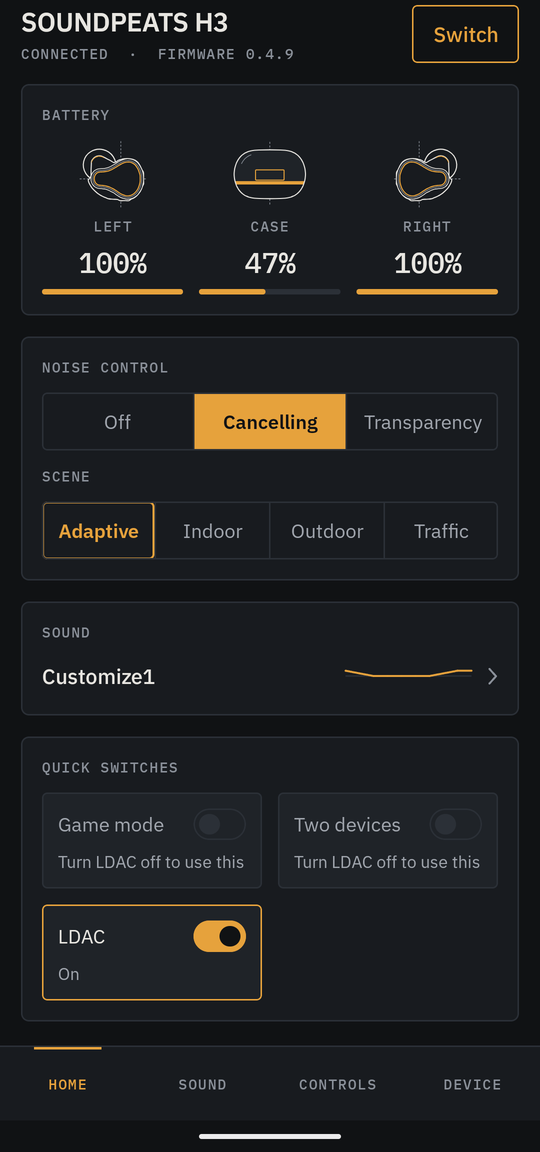
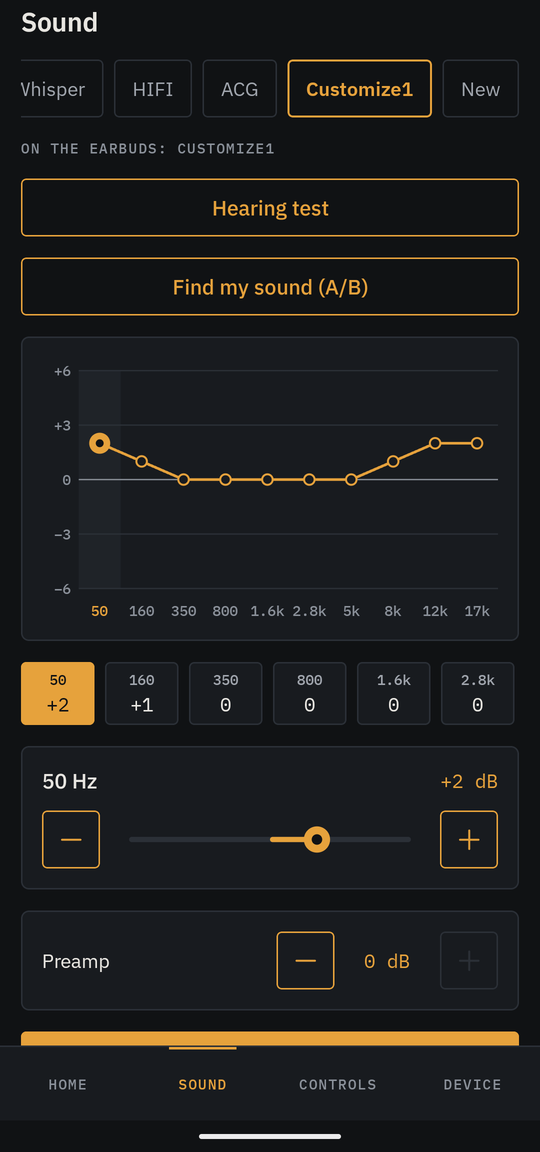
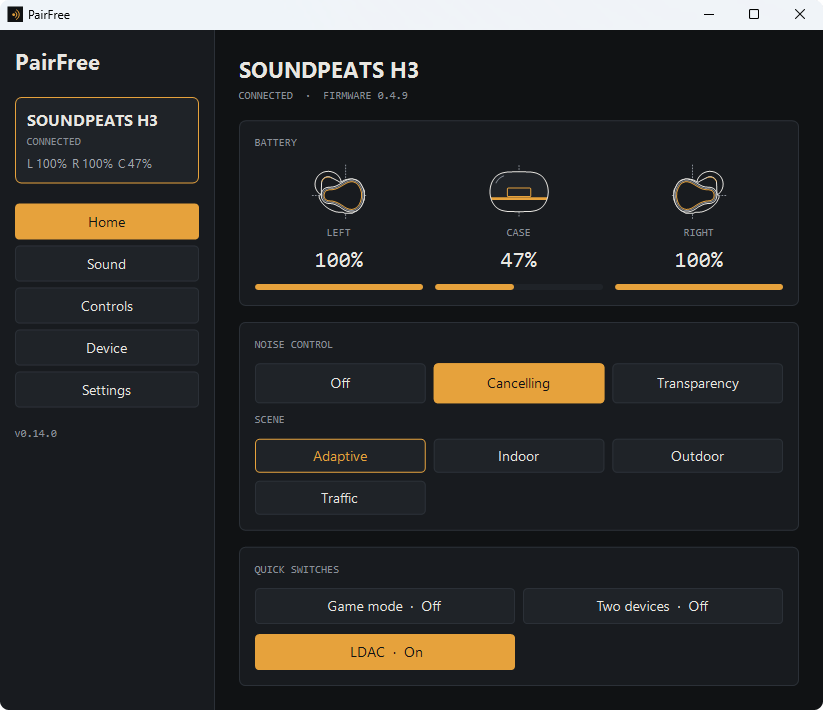
Cambridge Audio models
PairFree knows 8 Cambridge Audio models. No model of this brand has been tried on real earbuds with PairFree yet; support comes from the brand’s own app and reports.
Cambridge Audio support is read from the Melomania app (2.8.12) and its commands were checked against the official app run on a virtual earbud. It has not been tried with PairFree on real earbuds yet. The newer Melomania Connect models (A100, M100, P100) are not covered.
If your model is not marked as tried, a device report from you adds it: see how to help.
What works on each Cambridge Audio model
| Model | Implemented | Status |
|---|---|---|
| Melomania 1+ | Battery, presets and five gain bands, control toggles, language and codec preference | Vendor app tested virtually; no hardware test |
| Melomania Touch | Battery, presets and five gain bands, control toggles, language and codec preference, ambient sound and level | Vendor app tested virtually; no hardware test |
| Melomania A100 | Battery, noise control and its button cycle, equalizer with presets, left/right balance, gaming, mono, sleep, loudness, side tone and spatial audio (each where the model has it), wear detection, find alert, touch gestures and their actions, paired devices, voice language, automatic power off, codec choice | Not tested |
| Melomania A100 SE | Battery, noise control and its button cycle, equalizer with presets, left/right balance, gaming, mono, sleep, loudness, side tone and spatial audio (each where the model has it), wear detection, find alert, touch gestures and their actions, paired devices, voice language, automatic power off, codec choice | Not tested |
| Melomania M100 | Battery, noise control and its button cycle, equalizer with presets, left/right balance, gaming, mono, sleep, loudness, side tone and spatial audio (each where the model has it), wear detection, find alert, touch gestures and their actions, paired devices, voice language, automatic power off, codec choice | Not tested |
| Melomania P100 | Battery, noise control and its button cycle, equalizer with presets, left/right balance, gaming, mono, sleep, loudness, side tone and spatial audio (each where the model has it), wear detection, find alert, touch gestures and their actions, paired devices, voice language, automatic power off, codec choice | Not tested |
| Melomania P100 SE | Battery, noise control and its button cycle, equalizer with presets, left/right balance, gaming, mono, sleep, loudness, side tone and spatial audio (each where the model has it), wear detection, find alert, touch gestures and their actions, paired devices, voice language, automatic power off, codec choice | Not tested |
| Melomania X100 | Battery, noise control and its button cycle, equalizer with presets, left/right balance, gaming, mono, sleep, loudness, side tone and spatial audio (each where the model has it), wear detection, find alert, touch gestures and their actions, paired devices, voice language, automatic power off, codec choice | Not tested |
The same list is on GitHub.
Why use PairFree
- No account and no internet. The app has no internet permission, so it cannot go online.
- One app for several brands. The same screens for every brand, instead of one app per pair of earbuds.
- Open source. GPL-3.0; the protocol is documented in the repository with tests, so anyone can check what the app sends to the earbuds.
- Small and quick: about 6 MB on Android and 16 MB on Windows, and reproducible: the published APK can be rebuilt from the source.
- On Windows as well as Android, where most of these brands have no app at all.
Get PairFree
On Android, PairFree is on F-Droid and on the GitHub releases page; it needs Android 12 or later. On Windows 10 or 11, download PairFree.exe from the same releases page and run it.
Other brands
PairFree controls earbuds of other brands too:
- SOUNDPEATS
- Soundcore
- Bose
- JBL
- Sony
- Samsung Galaxy Buds
- AirPods and Beats
- Nothing and CMF
- Google Pixel Buds
- QCY
- 1MORE
- EarFun
- Sennheiser
- Jabra
- OnePlus and OPPO
PairFree is an independent project. It is not affiliated with or endorsed by SOUNDPEATS, Anker, Samsung, Sony, Bose, Harman (JBL), Apple, Nothing, Google, QCY, 1MORE, EarFun, Cambridge Audio, Sennheiser, Jabra, OnePlus or OPPO; the names are used to say which earbuds it works with.